Step 1 of 6
Create your event and upload guests
Everything starts with your guest list. The QR finder and kiosk both read from it.
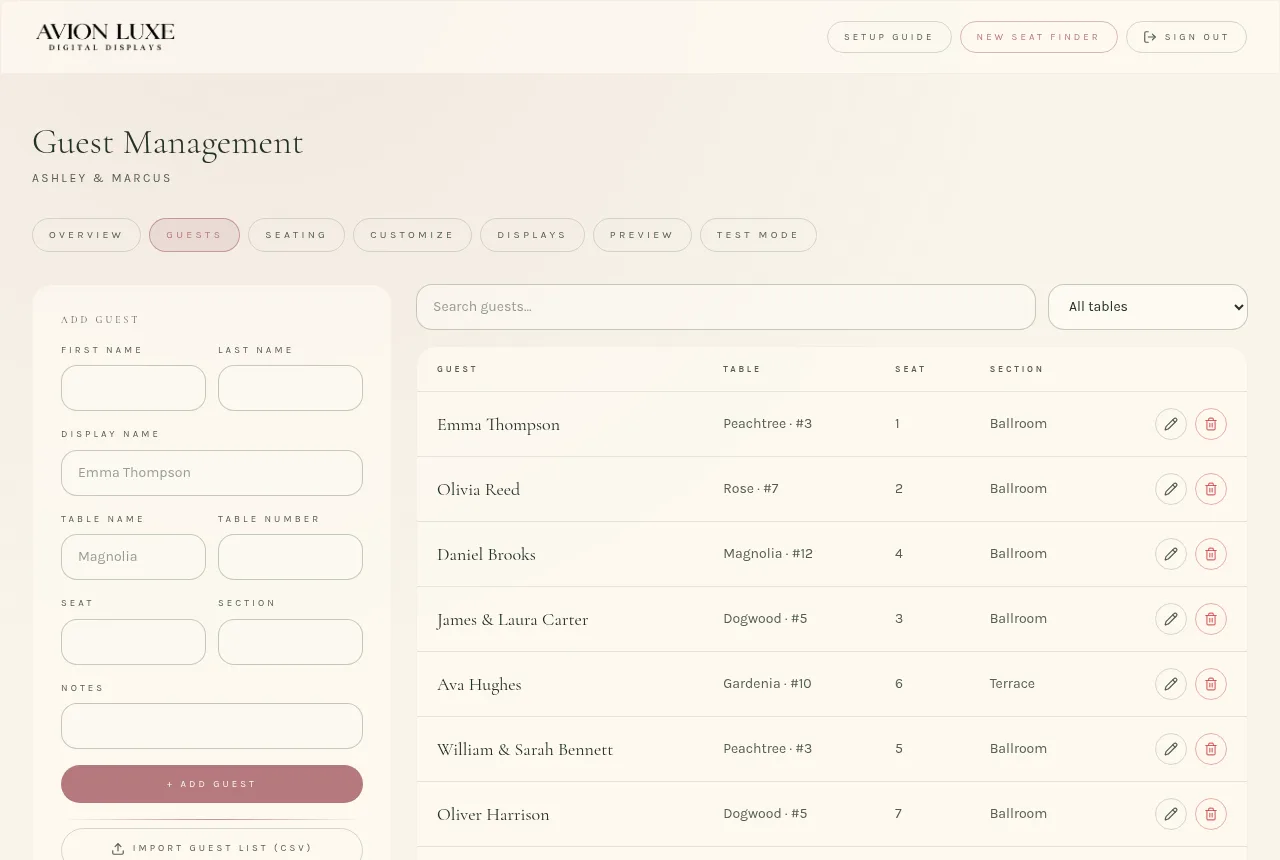
- 1Sign in with Client Login and press New seat finder.
- 2Enter your names, wedding date and venue.
- 3Upload a spreadsheet (CSV) with first name, last name and table — or add guests one by one.
- 4Check spelling: guests search by the name they'd type.
Troubleshooting
My CSV won't import
Save the file as CSV (not Excel). Make sure the first row has column names such as First name, Last name and Table.
A couple shows as one guest
That's fine — guests can find either name. Write it the way they'd search, e.g. “James & Laura Hill”.
On the day